
Free WooCommerce Plugin
See what your store keeps, not just what it sells
WooCommerce reports your sales. Nota Store Analytics reports your net profit: product cost, payment fees, shipping, refunds and ad spend deducted, for every order you have ever taken, by product, channel, customer and country. Everything is calculated and stored on your own site.
From revenue to profit, line by line
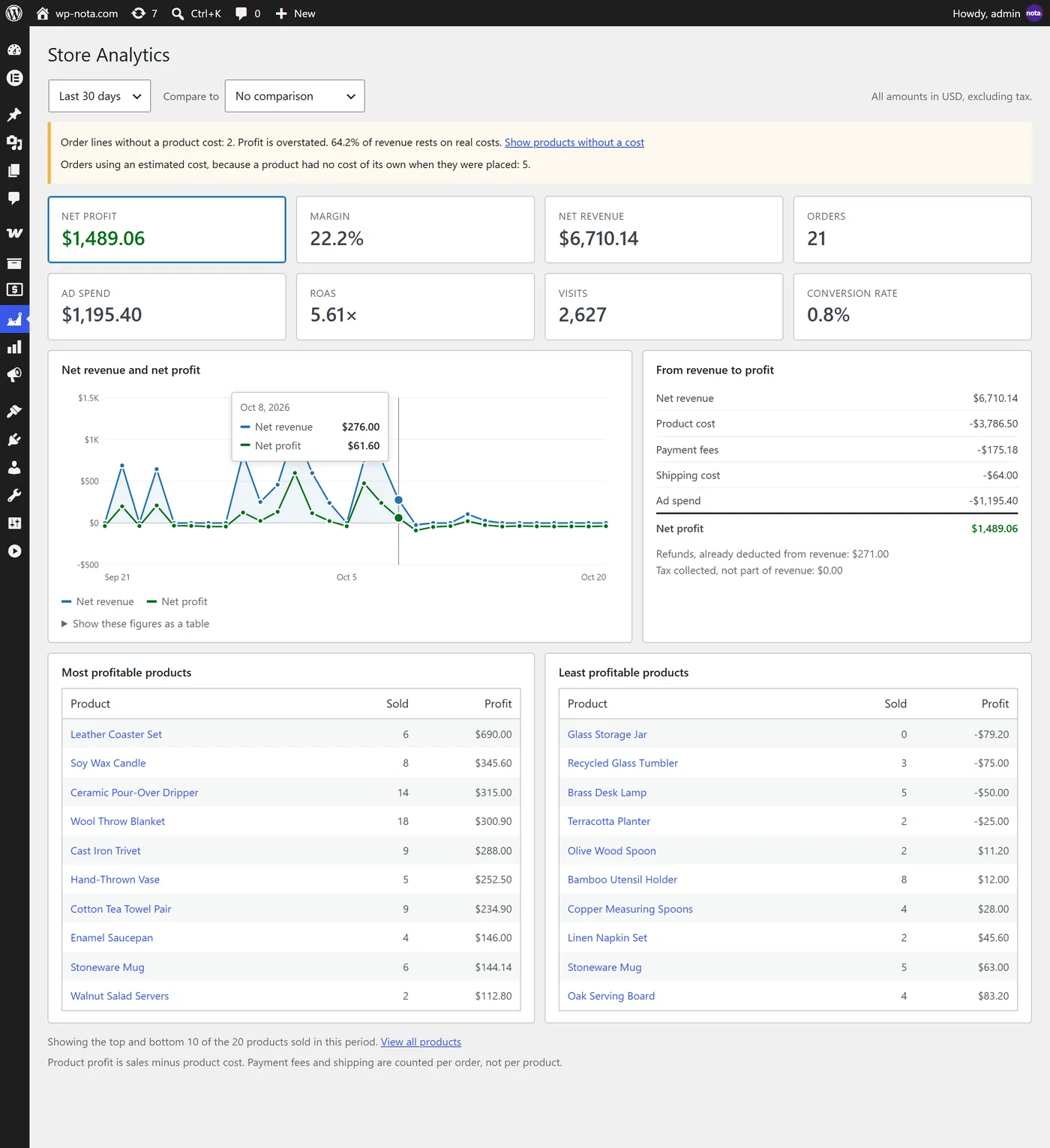
One screen answers the question your sales report cannot: how much is left. Pick any date range and see net profit, margin, net revenue and orders, a chart of revenue and profit over time, and exactly where the money went.
- Net profit, margin, net revenue and orders for any period, compared with the previous period or the same period last year
- Interactive chart of revenue and profit over time
- Breakdown: product cost, payment fees, shipping cost and ad spend
- Your most and least profitable products
- A Profit column in the WooCommerce orders list
Know which channel pays, after what you spent on it
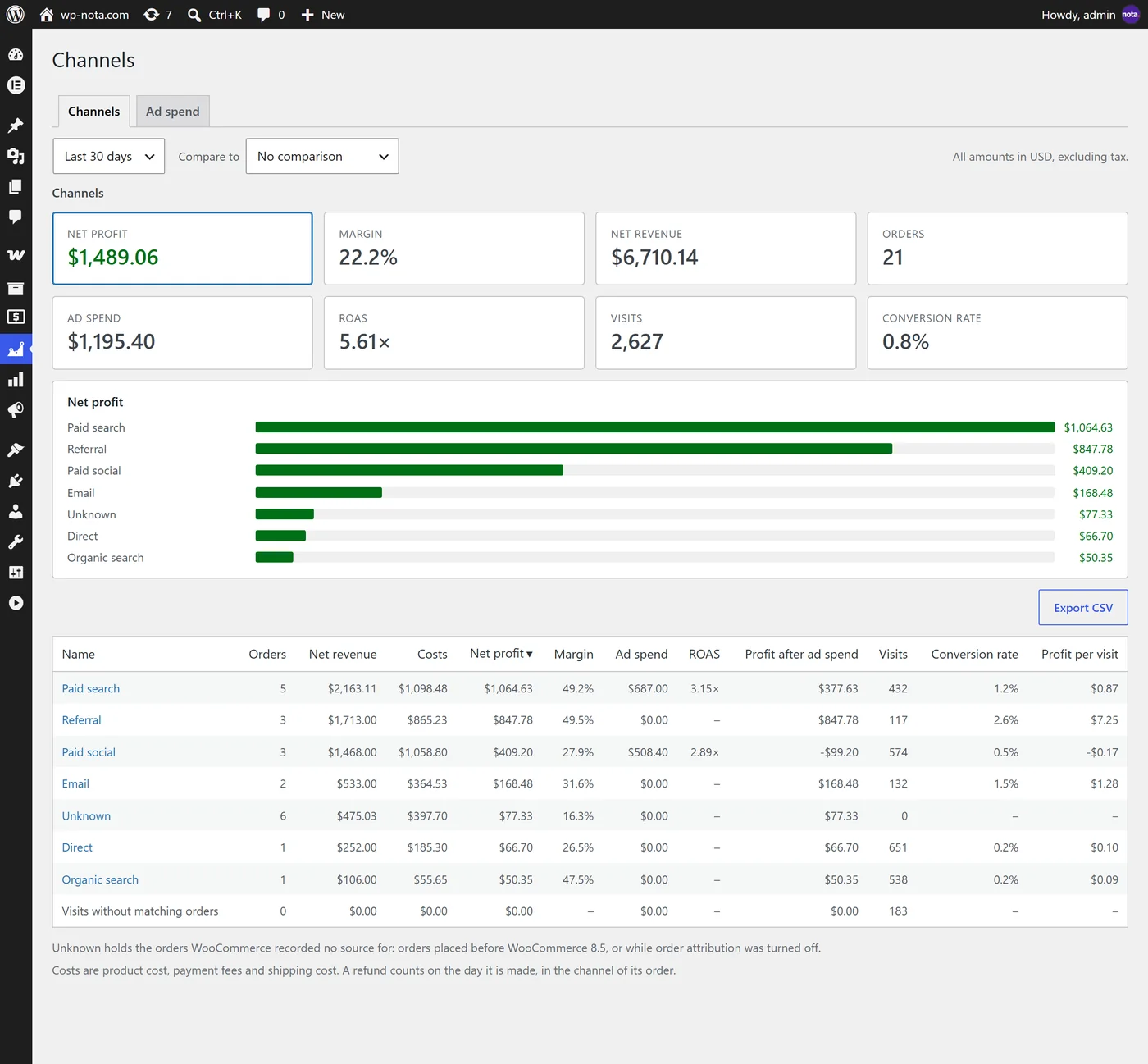
WooCommerce already records where each order came from. Nota Store Analytics turns that into profit by channel, source and campaign, and sets your ad spend next to it.
- Profit, margin and orders by channel, then by the sources of a channel and the campaigns of a source
- Ad spend, ROAS and profit after ad spend on every row
- Compare any period with the one before it or with last year
- Every report can be downloaded as a CSV file
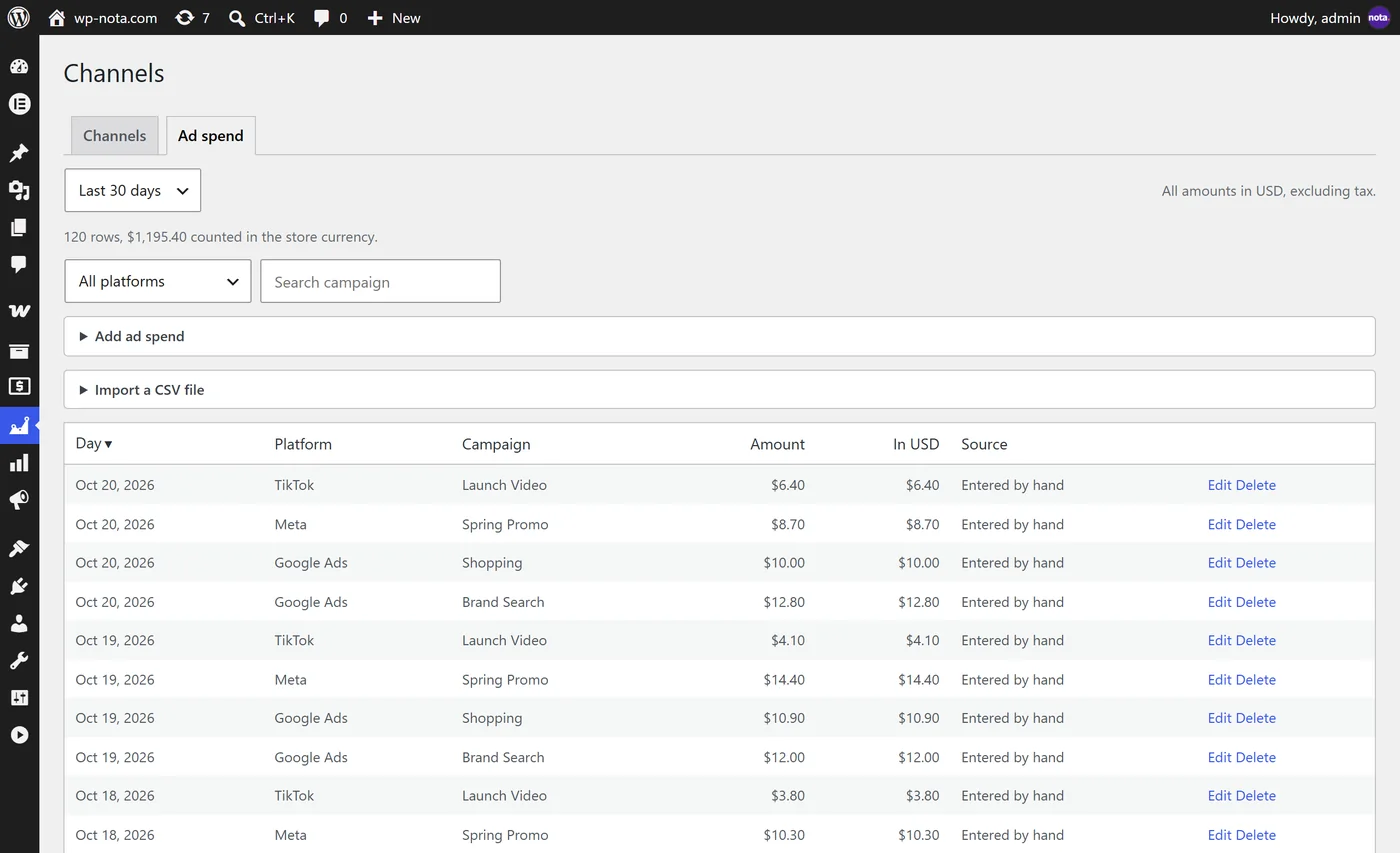
Enter ad spend by hand, or import the platform’s report
No ad account connection and no API key. Add a day, spread a monthly amount over a range of days, or import the daily campaign report from Google Ads, Meta or TikTok as a CSV file.
- Google, Meta, TikTok, Microsoft, Pinterest and any other platform
- CSV import with a preview; importing the same file again replaces its rows, never the ones you typed
- Amounts in other currencies are converted at the exchange rate of their day
- The dashboard then shows net profit after ad spend
Enter what products cost you, wherever it suits you
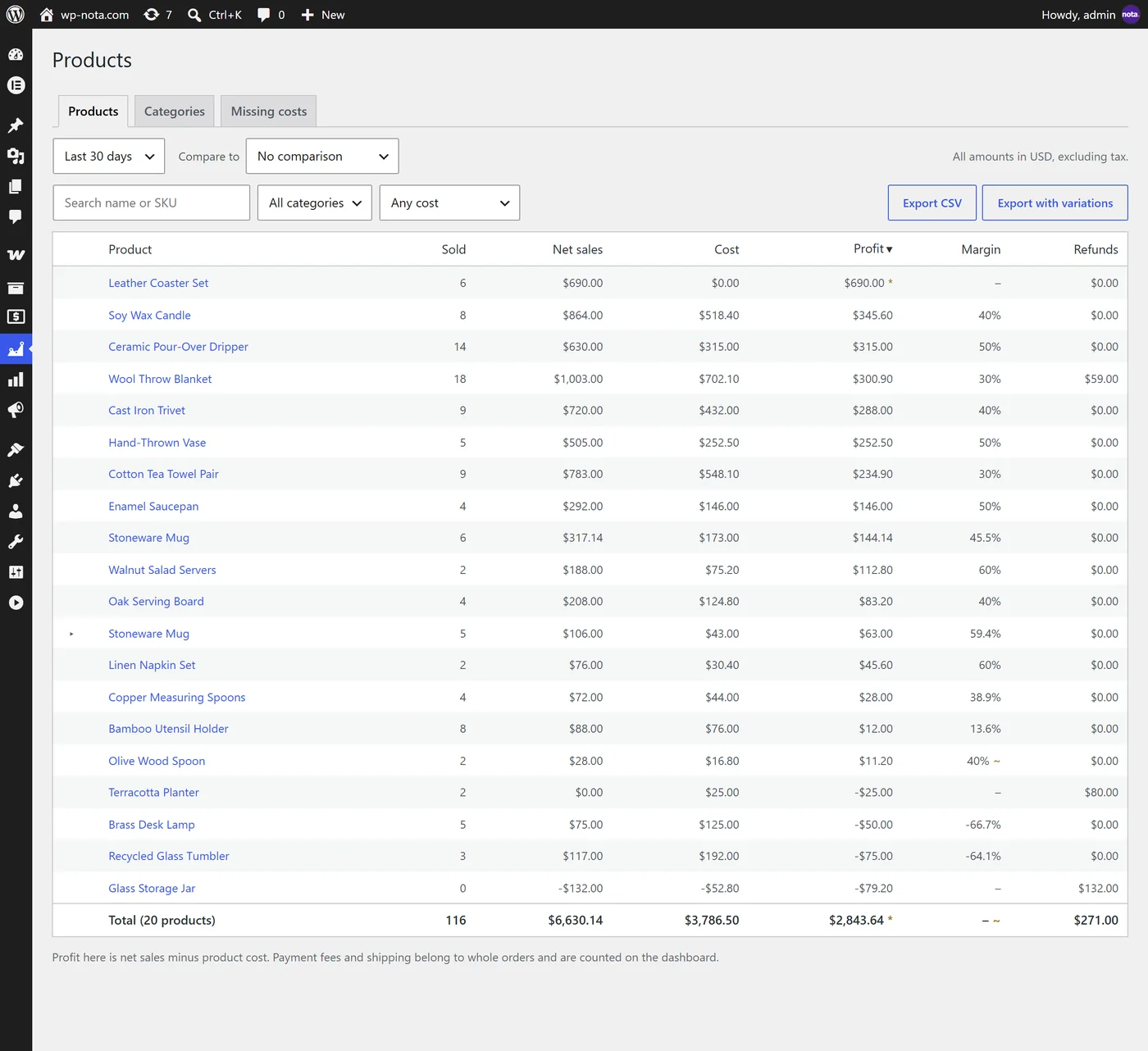
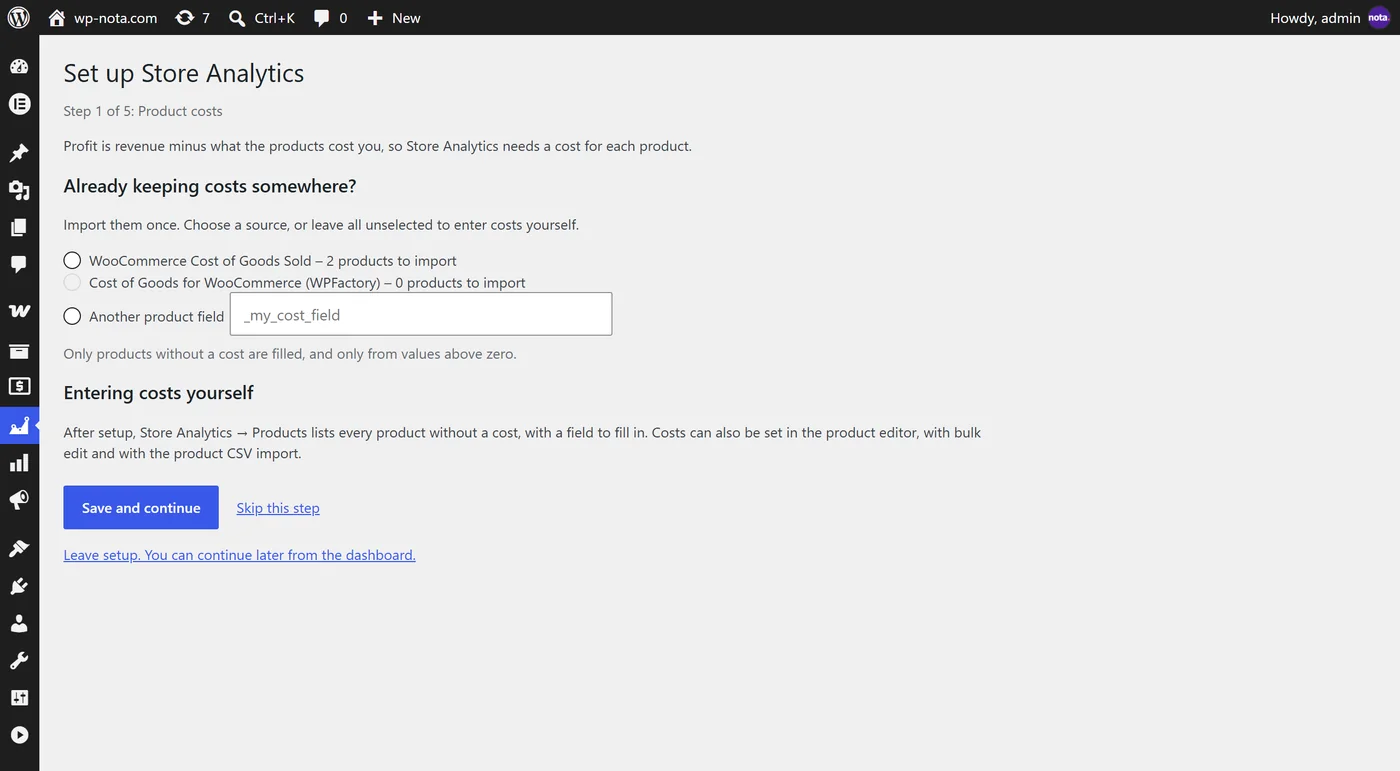
Profit needs a cost for each product, so entering costs is quick and never locked away. A setup wizard walks you through the first run, and one screen always lists the products that still need a cost.
- A cost field on every product and variation, in quick edit, bulk edit and the WooCommerce product CSV import and export
- A list of products missing a cost, with a category filter and one cost for many products at once
- Cost rules: give a category an estimated cost as a percentage of the price, until you enter a real one
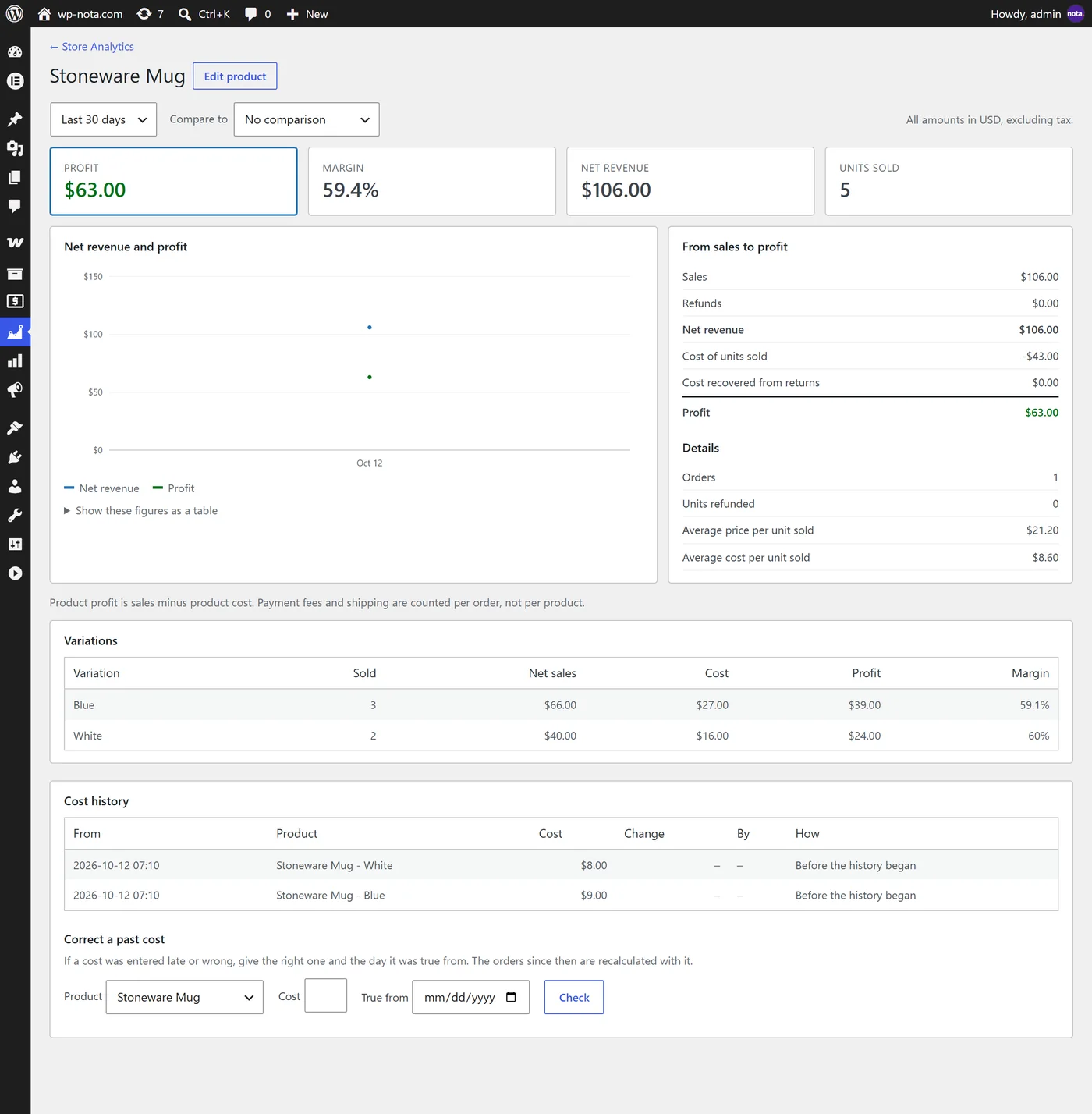
- Cost history: every change of a cost is kept, and you can correct a cost for the past
- One-time import from WooCommerce’s own Cost of Goods Sold or from Cost of Goods for WooCommerce by WPFactory
See who and where your profit comes from
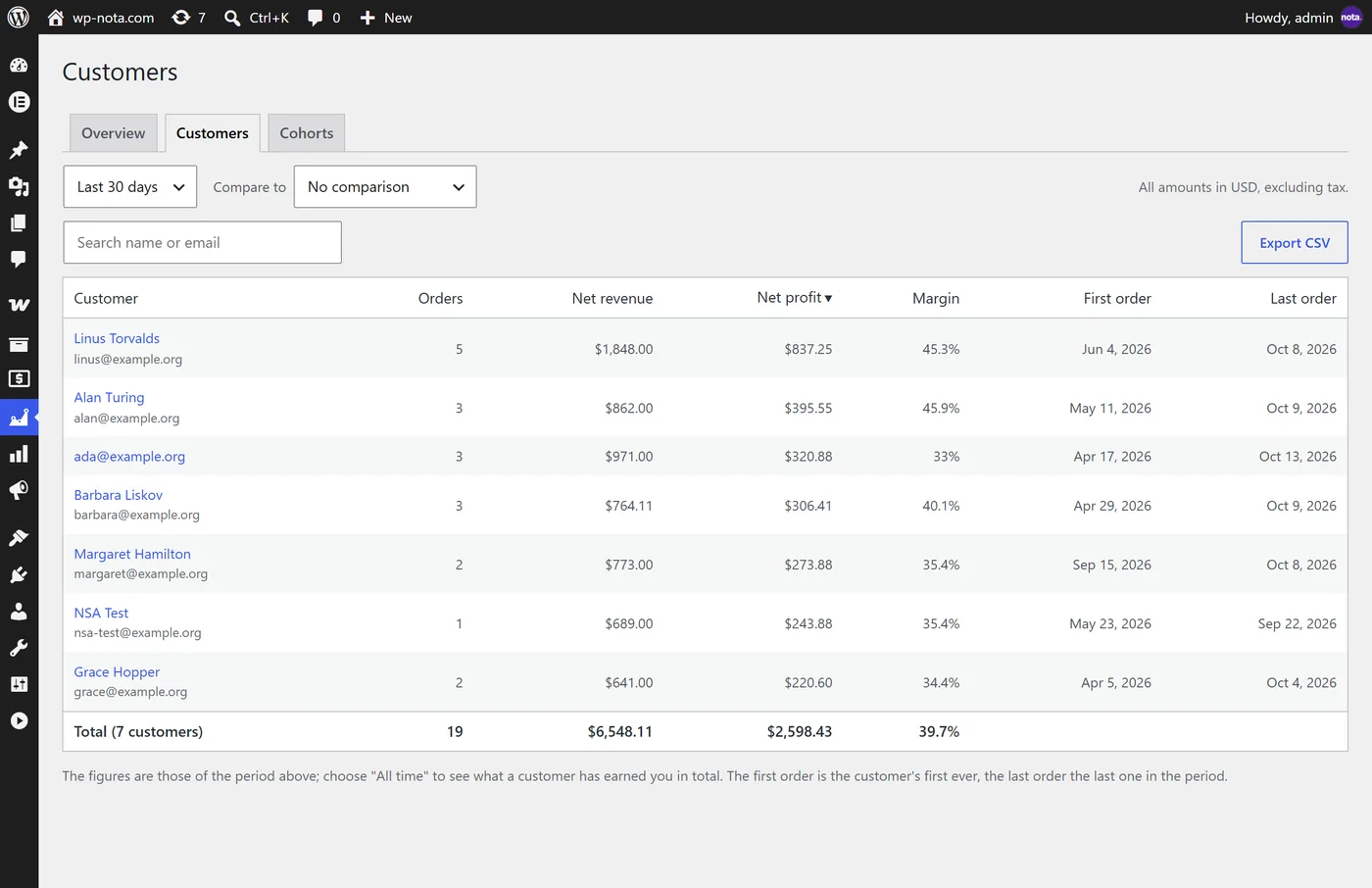
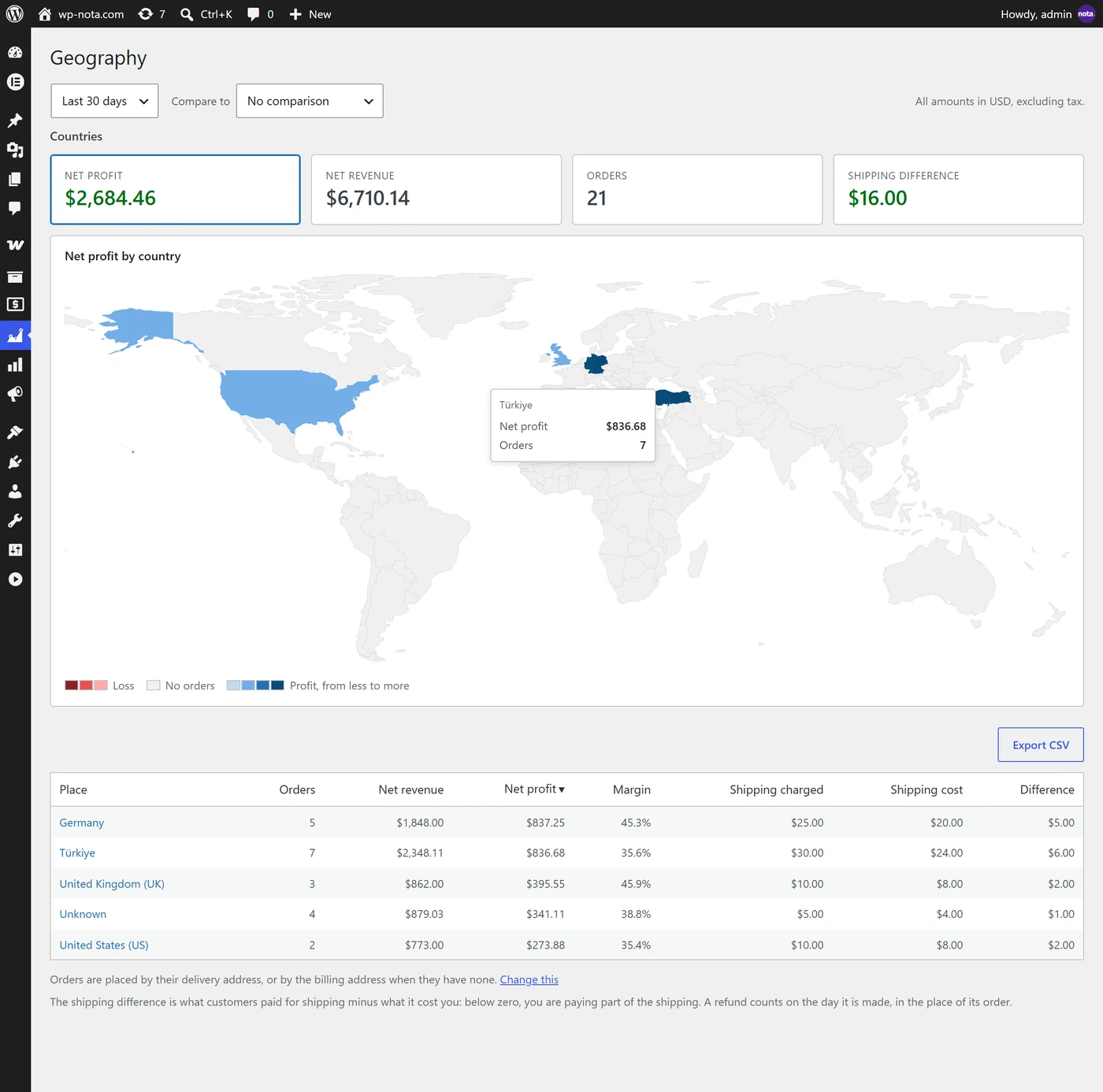
Which customers earn you the most over their lifetime, and which countries are worth shipping to.
- New and returning customers, lifetime profit per customer, cohorts and a page for every customer
- Profit and shipping by country, state and city, on a world map
- Shipping you charged compared with what it cost you
- Customers are recognised by a keyed digest of the billing email; the plugin keeps no names or emails of its own
Visits, conversion rate and a weekly email, if you want them
Both are off until you turn them on in the settings.
- A cookieless visit counter: one visit per browser session, kept as daily totals by channel, source and campaign. No IP address, no page address, no visitor identifier
- Conversion rate and profit per visit on the dashboard and for every channel, source and campaign
- A weekly summary email with last week’s figures, compared with the week before, sent to the addresses you choose
- A profit page for every product, with its variations and its cost history
Numbers you can check, and honest gaps where data is missing
A profit report is only useful if you can trust it. The plugin records what it needs at the moment of the sale, follows WooCommerce’s own rules for revenue, and tells you plainly when something is missing instead of guessing.
- The product’s cost is stored on the order when it is placed, so changing a cost later never rewrites past profit
- Refunds are counted on the day they are made, and net revenue matches WooCommerce’s net sales
- Returned items give their cost back only when they went back into stock
- Orders in other currencies are converted to your store currency: with the rate a multi-currency plugin stored, your own rates, or optional daily rates from the European Central Bank
- A missing cost or exchange rate is shown as missing, never filled with a guess
orders → your database
product costs → your database
profit ledger → your database
// Requests to other servers, by default: 0
// Optional, off until you turn it on:
// the ECB’s public exchange-rate files
no account · no third-party tracking
No account, no sync, no third-party server
Many analytics tools copy your orders to their own servers. Nota Store Analytics keeps everything in your WordPress database. By default it makes no request to any other server; the one optional exception is a download of the European Central Bank’s public exchange-rate files, which you can turn on. There is nothing to sign up for.
- All calculation and storage happen on your own site
- No account, no API key, no third-party tracking
- The visitor counter and the weekly email are optional and off by default
- Works with High-Performance Order Storage and with the older order storage
- Your data is kept when you deactivate the plugin, and removed only if you ask for it
A setup wizard, then it runs by itself
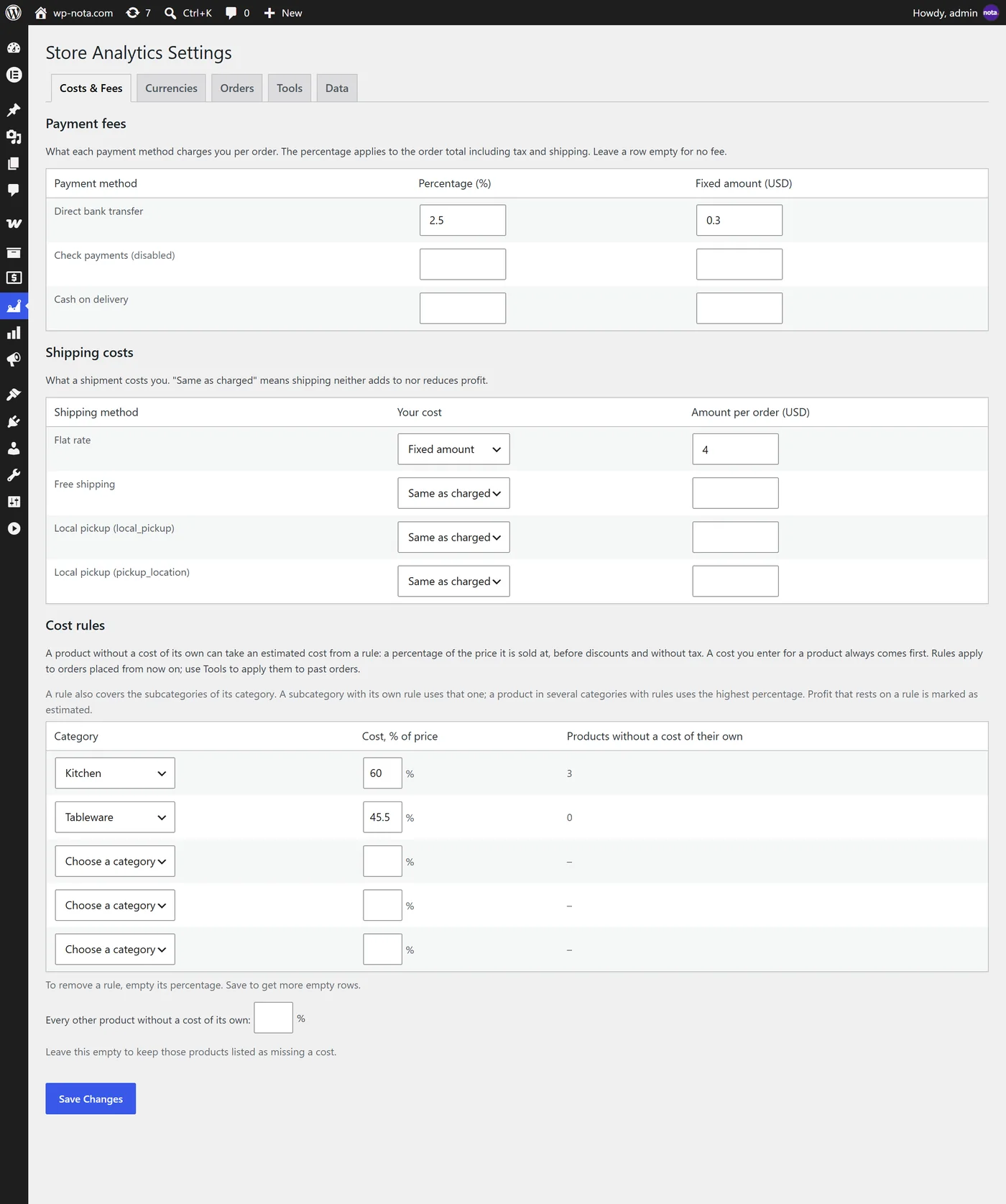
The wizard asks for what the plugin cannot know: your product costs, what your payment providers charge, what shipping costs you and which currencies you sell in. Orders you already have are calculated in the background.
- Import costs you already keep elsewhere, or enter them as you go
- Payment fees per payment method, shipping costs per shipping method
- Existing orders are processed in the background; nothing slows your shop
Find out what your store really earns
Nota Store Analytics is free and is available on WordPress.org. Built by the team behind Nota Backup & Restore.