

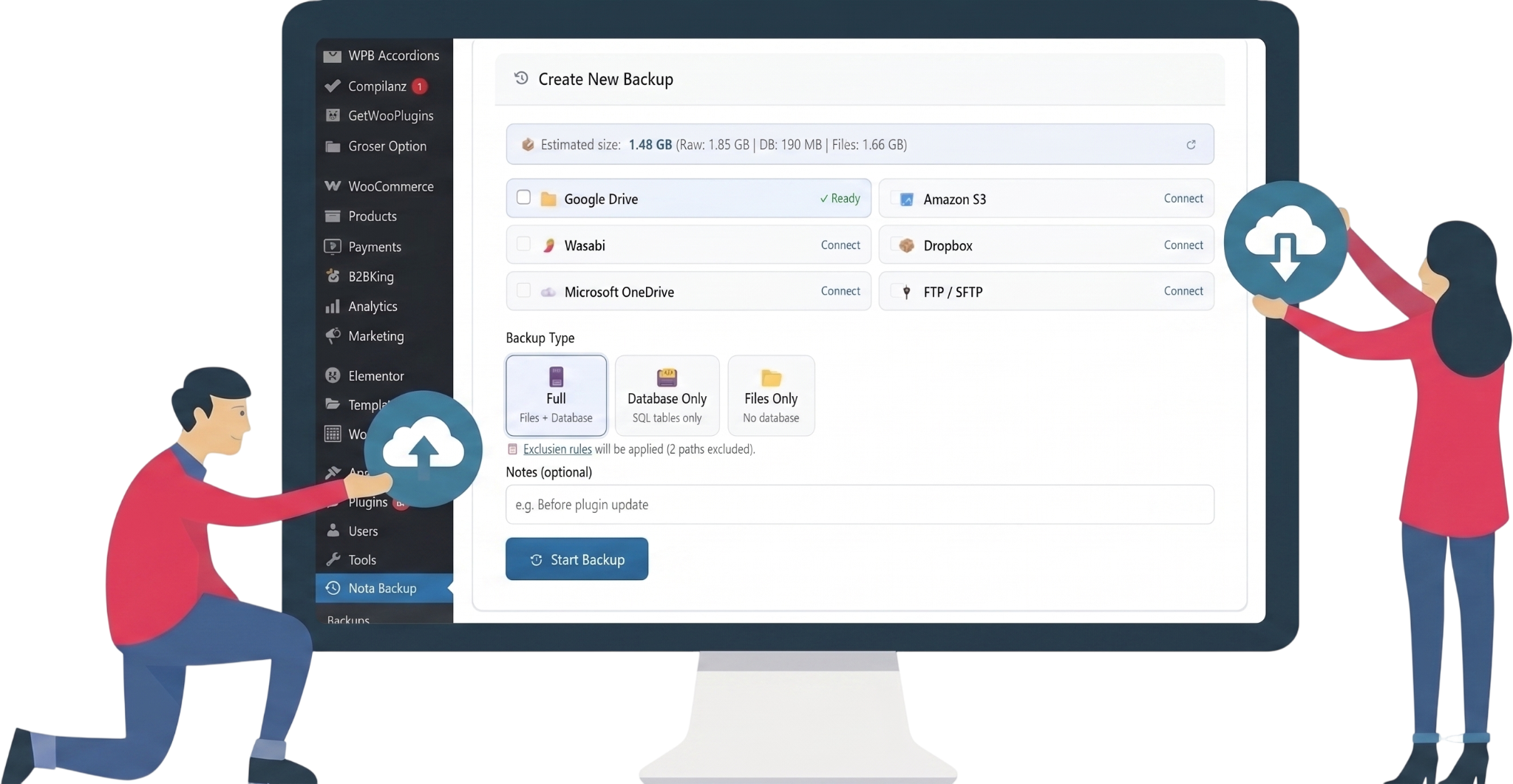
Everything You Need
Powerful backup features, simple interface
Nota Backup & Restore gives you enterprise-grade backup capabilities without the enterprise complexity.
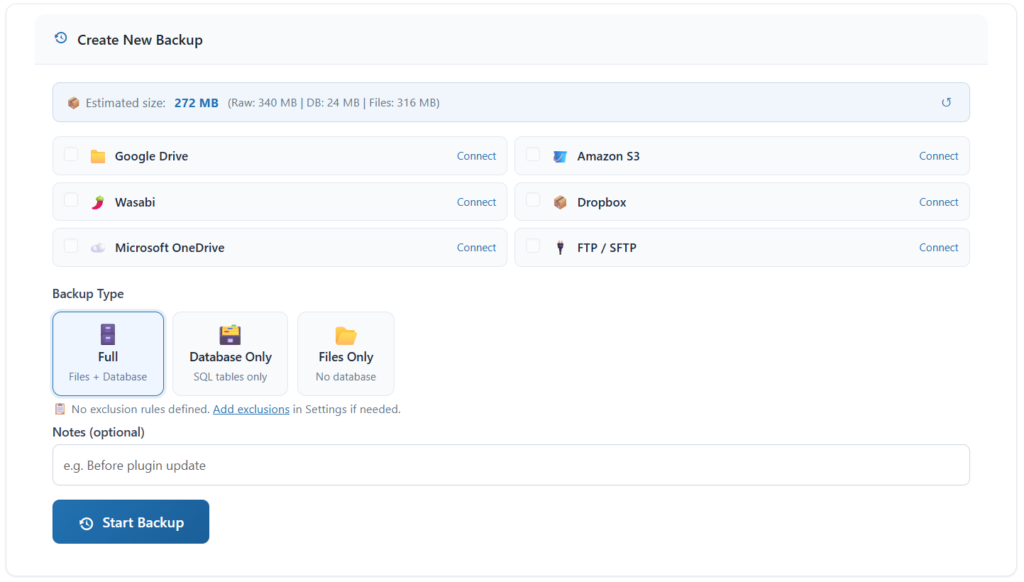

Full Site Backup
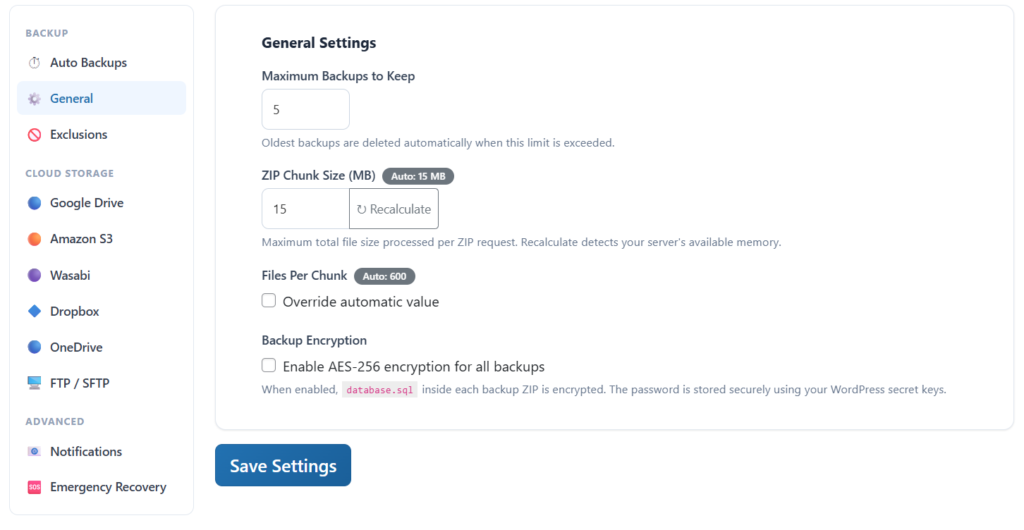
Back up everything — files, database, plugins, themes and uploads. Or choose selective backups: database only, files only, or full site.

5 Cloud Destinations
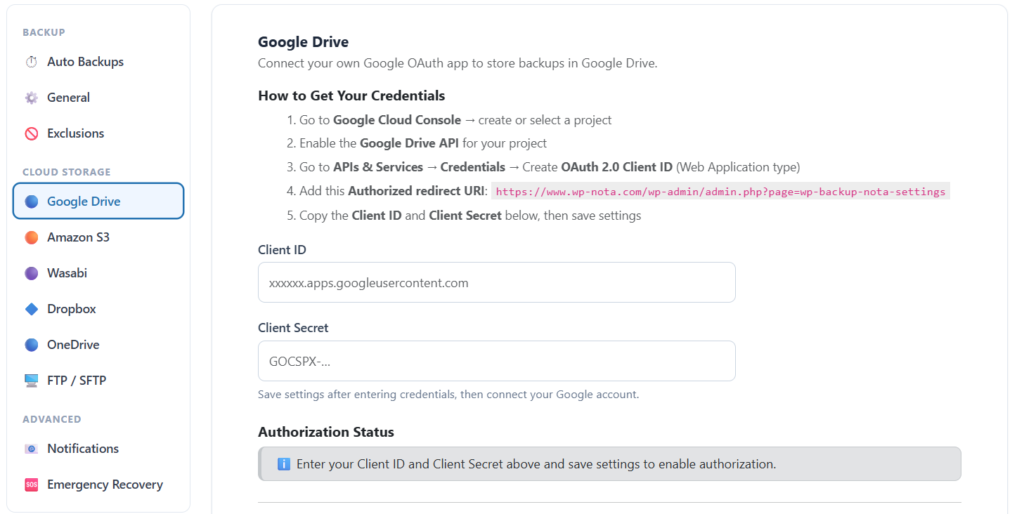
Automatically upload to Google Drive, Amazon S3, Wasabi, Dropbox or OneDrive. Use multiple destinations simultaneously for extra safety.

AES-256 Encryption
Protect your backups with military-grade encryption. Your database is encrypted before being added to the ZIP — your data stays private.

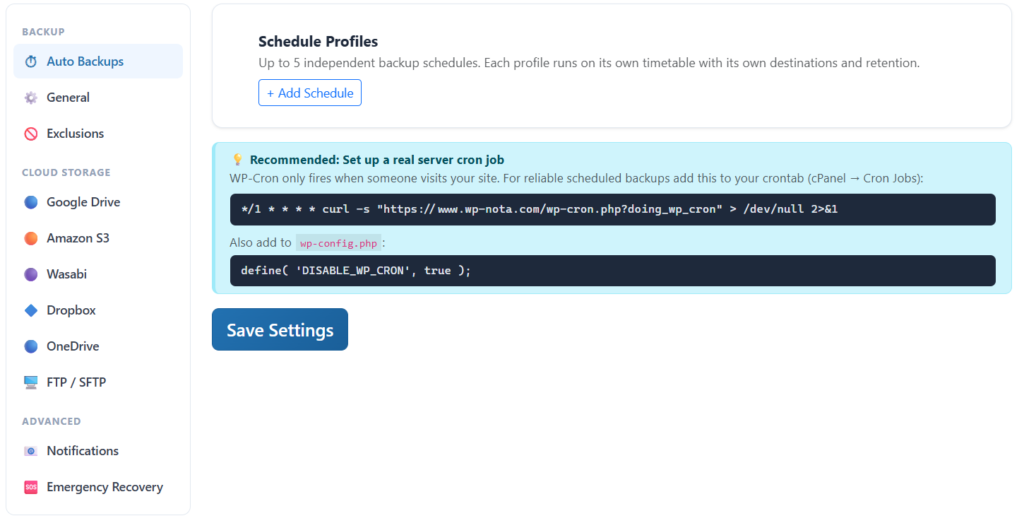
Scheduled Backups
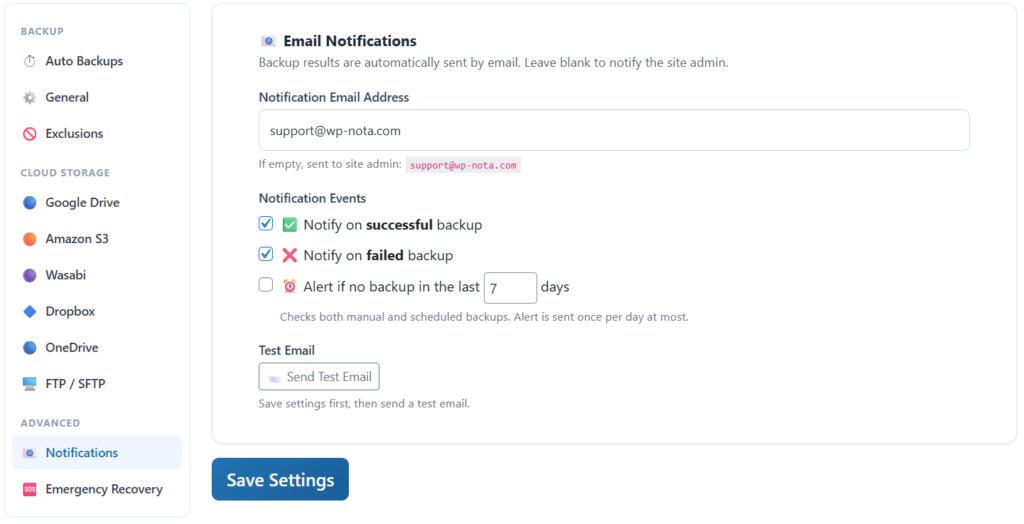
Set it and forget it. Schedule daily, weekly or monthly automatic backups. Receive email notifications on success or failure.

One-Click Restore
Restore your site directly from the WordPress admin panel or use the standalone installer for full migrations to a new domain or host.

No Timeout Failures
Chunked processing means backups never fail due to PHP timeouts. Works on any shared hosting — even with strict resource limits.

Exclusion Rules
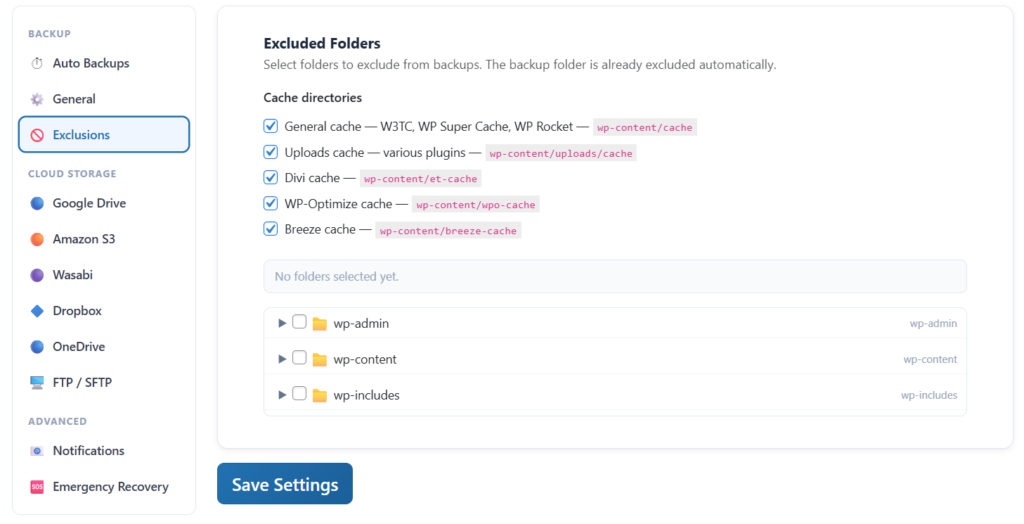
Skip unnecessary files like cache directories, video uploads or any custom paths. Keep your backups lean and fast with smart exclusions.

Site Migration
Moving to a new domain or server? The smart installer automatically handles URL and path replacement — including serialized data.

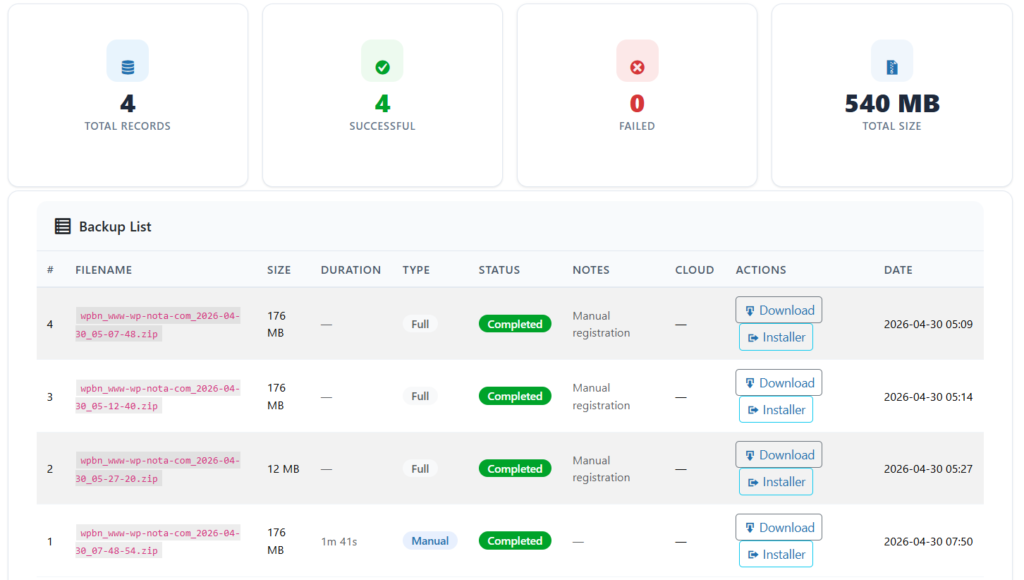
Backup History
Full history of all backups with status, size, duration and error details. Know exactly what happened and when — never be left guessing.

WP-CLI Ready
Manage backups straight from the terminal with the wp nota command set. Create, list, restore and upload to the cloud — perfect for servers, automation and CI/CD pipelines.

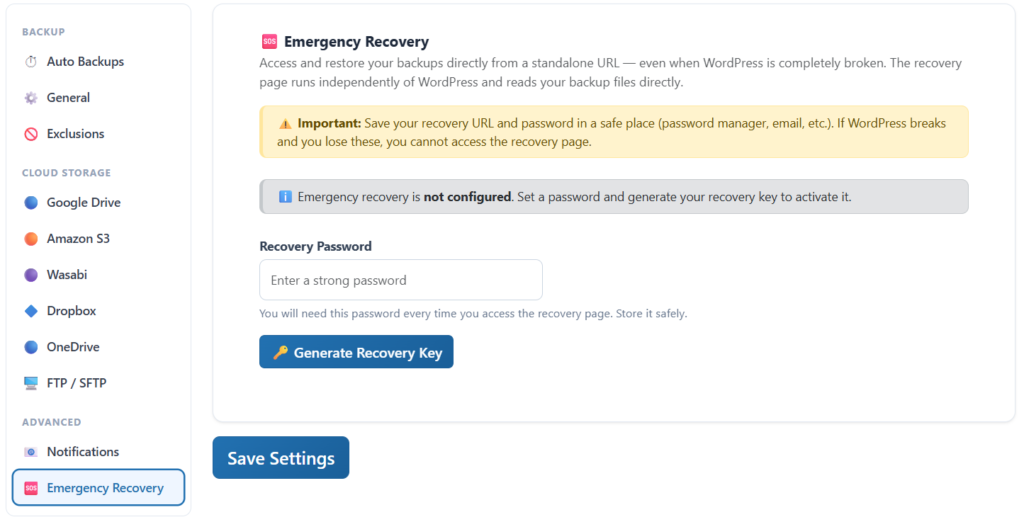
Emergency Recovery
Locked out of wp-admin? Restore your site through a secret recovery URL — no dashboard access required. Get back online even when WordPress won’t load.

Staging Sites
Spin up a one-click staging copy of your site to test updates and changes safely. Push back to live when you’re ready — database, files or both.
Simple Setup
Up and running in 3 minutes
No complex configuration required. Install, connect your cloud storage and you’re protected.
Install & Activate
Install Nota Backup & Restore from the WordPress plugin repository or upload the ZIP file. Activate with one click.
Connect Cloud Storage
Authorize Google Drive, Amazon S3, Dropbox, Wasabi or OneDrive. Takes less than 2 minutes with our guided setup.
Backup & Relax
Create your first backup manually or set a schedule. Your site is now protected automatically — every single day.
Works with your favorite cloud storage
Connect one or multiple destinations — your choice.
Simple Pricing
One plugin, three plans
All plans include every feature. Pay only for the number of sites you need. Billed annually.
Personal
Perfect for bloggers and small site owners.
 2 WordPress site
- All backup features
- All cloud destinations
- SQLite & ZIP archive formats
- AES-256 encryption
- Scheduled backups
- Email support
- 1 year of updates
Most Popular
Pro
For developers and professionals managing client sites.
- 5 WordPress sites
- All backup features
- All cloud destinations
- SQLite & ZIP archive formats
- AES-256 encryption
- Scheduled backups
- Priority email support
- 1 year of updates
Plus
For agencies managing large portfolios of sites.
- 20 WordPress sites
- All backup features
- All cloud destinations
- SQLite & ZIP archive formats
- AES-256 encryption
- Scheduled backups
- Priority email support
- 1 year of updates
🎁 14-day free trial · No credit card required
Frequently asked questions
Your site deserves better protection
Join thousands of WordPress users who sleep better knowing their site is backed up.
14-day free trial · No credit card required · Cancel anytime